
Shadow Calculation
Use Shadow Calculation to visualize how direct shadows affect modules in the current layout. The tool helps you review shading situations for a selected date and time and compare how the displayed shadows change when calculation parameters are adjusted.
Visualize Shadows on Modules
Here, you can display the direct shadows cast on the modules and interactively simulate how they change using the sliders.
The displayed result depends on the selected date, time, daylight saving setting, calculation interval, result level and calculation mode. Use the sliders and options to inspect different times of day and to understand where shading appears on the modules.
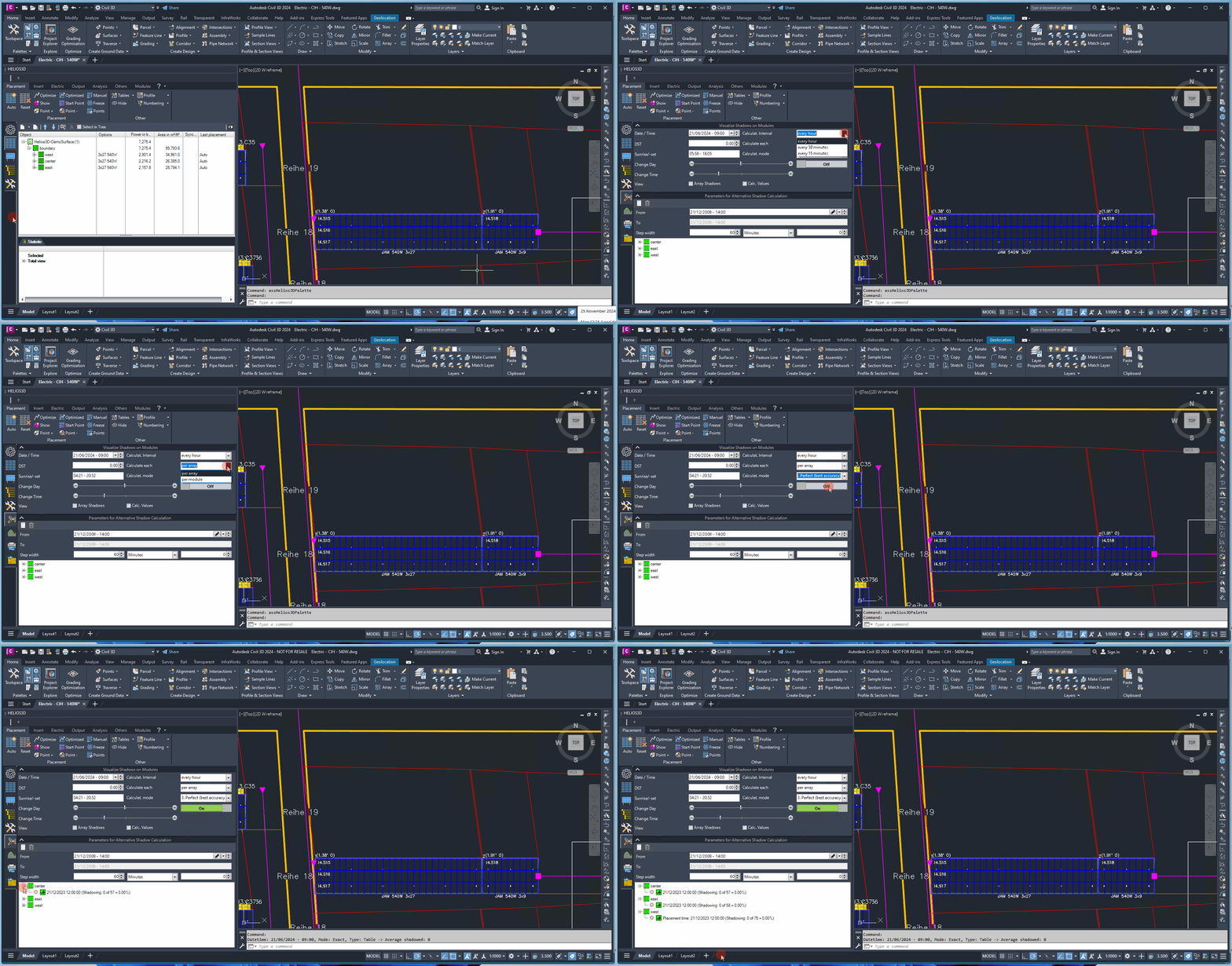
Date / Time
Enter a specific date for the shadow calculations. Use the single arrow button to select a date from the calendar, or adjust individual components of the date using the up/down buttons.
DST (Daylight Saving Time)
Enable or disable daylight saving time to adjust sunrise and sunset times accordingly. This will also refresh the displayed shadows.
Sunrise / Sunset
View the automatically calculated sunrise and sunset times for the selected date. These calculations account for the geographical position and DST setting.
Calculation Interval
Define the time interval for shadow calculations throughout the day.
Calculate Each
Choose whether results are displayed per array or per module. Note that displaying results per module increases computation time significantly.
For faster checks, calculate the result per array. Use module-level results when a more detailed shading view is required. Module-level calculation may take significantly longer, especially in larger layouts.
Calculation Mode
Select the desired calculation mode:
- Fast: Considers shadows cast only by arrays in the immediately preceding row.
- Exact: Includes shading influences from all arrays, even distant ones, for a more detailed result.
Use Fast mode for quicker calculations when only shadows from the directly preceding row are relevant. Use Exact mode when shading influences from all arrays should be considered for a more detailed result.
Change Day
Modify the date, which will automatically update the displayed shadow calculations.
Change Time
Adjust the time, and the displayed shadows will refresh accordingly.
On/Off
Toggle the display of calculated shadows on or off.
View
Choose the type of results to display: the shadows on the modules, the percentage of shading, or both.
The View option controls whether the result display shows the shadows on the modules, the shading percentage, or both. This can help compare visual shadow areas with percentage-based shading information.
Parameters for alternative Shadow Calculation
Here, you can perform an additional shadow calculation for all arrays within one or more fields. This calculation generates and displays a new shadow, similar to the one used for determining the row distance during placement.
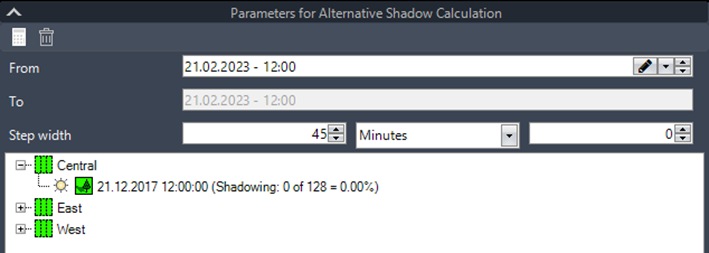
Use the alternative shadow calculation when you need an additional shadow result for all arrays within one or more fields. This result is generated separately from the interactive module shadow display and is comparable to the shadow used for row-distance determination during placement.