
Help
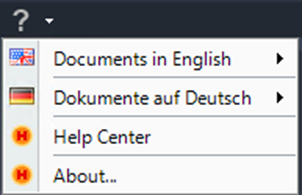
Show help documents
The Help command opens or downloads additional help documents for Helios 3D. These documents provide supporting information for working with Helios 3D functions, commands, workflows, and project-related settings.
Use this function when you need access to help files from within the Helios 3D user interface instead of opening the online Help Center manually.
This command is part of the Help area in the horizontal menu. It is intended to support users during daily work in Helios 3D, especially when they need command-related documentation, workflow explanations, or troubleshooting information.
The help documents are loaded from ftp://stoehr-sauer.de. Selected documents will be downloaded to a temporary user directory under:
C:\Users\Username\AppData\Local\Temp
The downloaded files are stored temporarily in the Windows user profile. The exact path depends on the currently logged-in Windows user. If the help document is opened again later, Helios 3D may download the document again or use the temporary copy, depending on the local system configuration.
Note:
Temporary files may be deleted automatically by Windows, cleanup tools, or company IT policies. If a previously opened help document is no longer available, open the Help command again to download the document once more.
If the help document cannot be loaded, check whether the workstation has access to the FTP address used by Helios 3D. In managed company networks, access may be blocked by firewall rules, proxy settings, antivirus software, or IT security policies.
Contact your IT administrator if the FTP server cannot be reached from the workstation.
Troubleshooting:
If no document opens after selecting a help entry, verify the following points:
- The workstation has an active internet or network connection.
- Access to
ftp://stoehr-sauer.deis allowed. - The Windows temporary folder is available and writable.
- Security software does not block the download.
- The selected help document exists on the server.
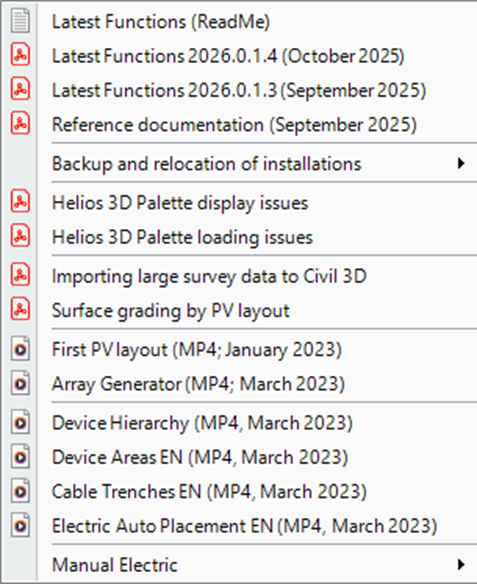
Requirements
To use this function, the workstation must be able to reach the help document server and must have permission to write files to the user’s temporary Windows directory. In restricted IT environments, additional firewall, proxy, or security exceptions may be required.
This function does not create or modify PV project data, drawing objects, DWG files, module tables, strings, inverters, or project database entries. It only loads help documents for user support.